
Features

What SyrupDesk does at the counter

Six things a retail pharmacy does every day, and how each one works here. Everything below is one system, and the bill you print is the same record your GST return is built from.

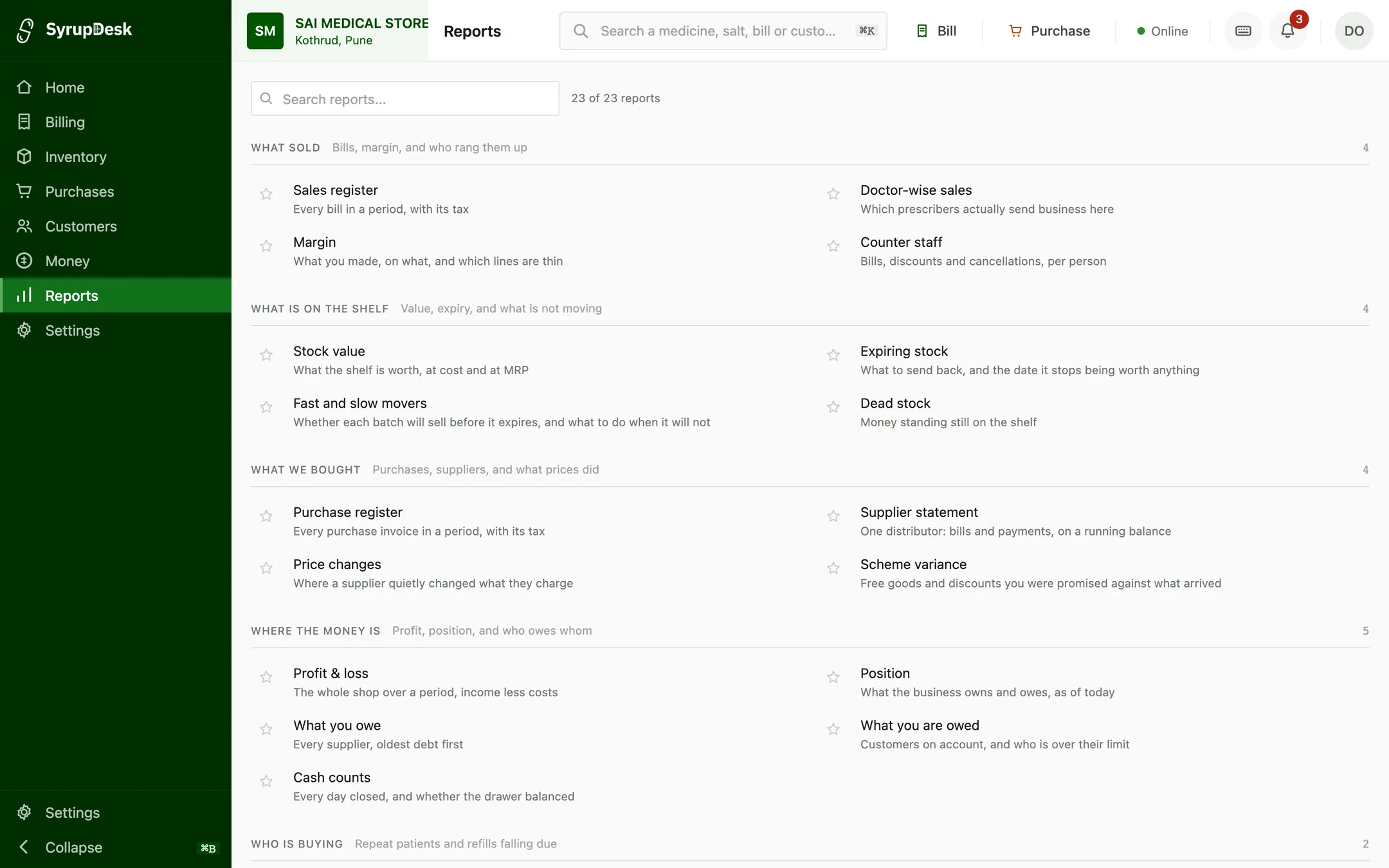
The SyrupDesk reports library: 23 reports grouped as what sold, what is on the shelf, what we bought, where the money is, and who is buying, each described in plain language, such as “Every bill in a period, with its tax” and “What to send back, and the date it stops being worth anything”.
Twenty-three reports, named for the question they answer. Demo data.

Bill a customer in a few seconds

Type the first three letters of a medicine and it comes up with its batch, MRP and GST rate already filled in. Print on your existing thermal or A4 printer. The bill is GST-compliant the moment it prints, with no separate entry later.

  • Keyboard-first, so a busy counter never waits on a mouse
  • Batch and expiry picked automatically, oldest stock first
  • Part-strip and loose-tablet sales handled properly
  • Reprint or edit a bill without breaking the GST trail
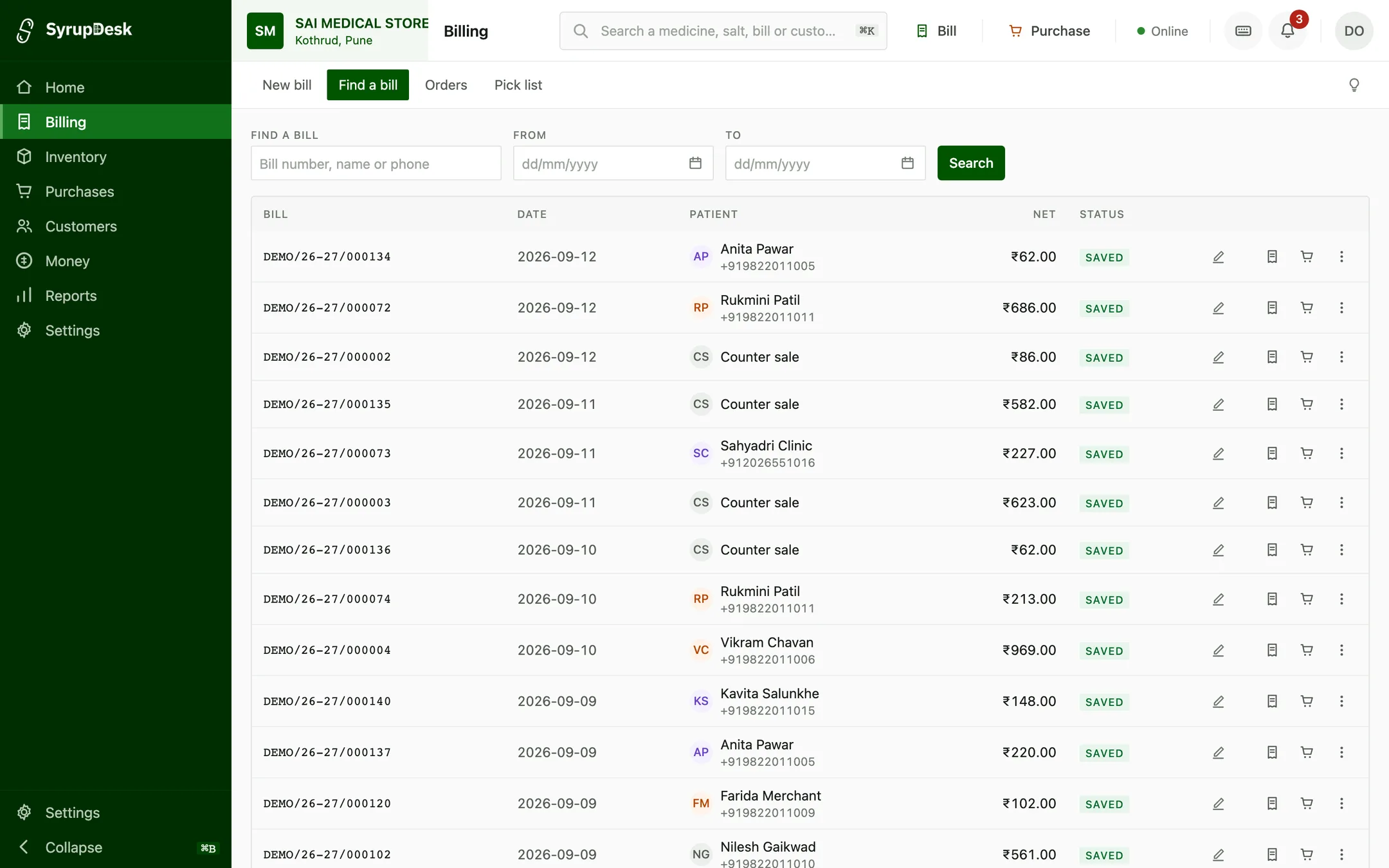
The SyrupDesk bill register: every bill raised, with its bill number, date, patient, net value and status, searchable by number, name, phone or date range.
Every bill you have raised, searchable by number, name or phone. Demo data.

See what is expiring before it is money lost

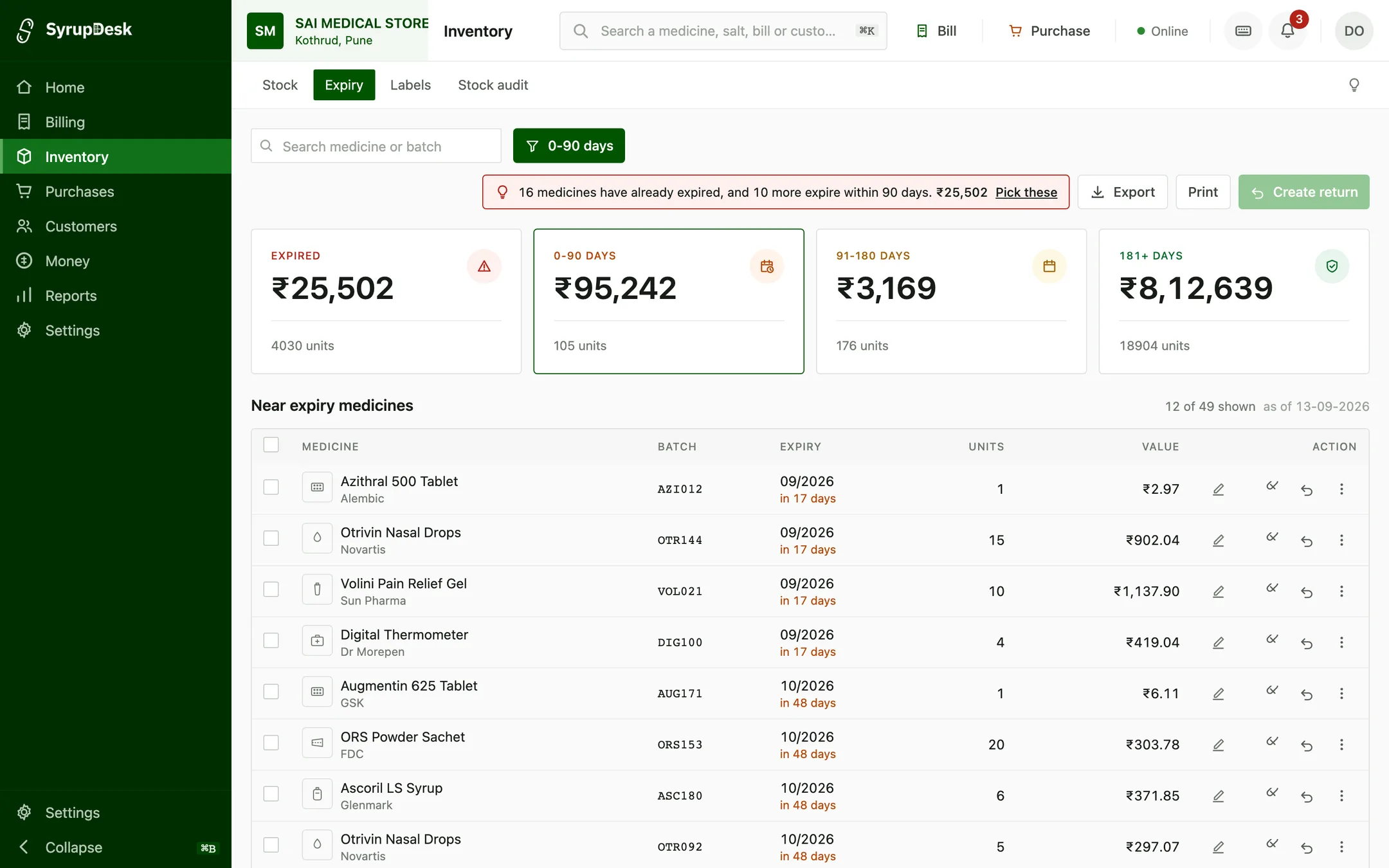
Every batch carries its expiry date, so you can see what is going to expire in the next 30, 60 or 120 days and return it to the distributor while there is still time. Expiry is the quietest way a pharmacy loses money.

  • Alerts by batch, not just by medicine
  • Value of expiring stock shown in rupees
  • Return list you can hand to your distributor
  • Near-expiry batches flagged at the counter during billing
The SyrupDesk expiry screen filtered to stock expiring within 90 days: ₹95,242 across 105 units, listed batch by batch with a countdown on each (17 days, 48 days) and a Create return button.
Expiry, filtered to the 90 days you can still act on. Demo data.

A medicine database you do not have to build

Your stock list starts filled in with Indian medicine names, packs, compositions, HSN codes and GST rates. You are not typing in twelve thousand items before you can print your first bill.

  • Composition and HSN code on every item
  • GST rate set correctly per medicine
  • Substitute suggestions when a brand is out of stock
  • Add your own items for anything we are missing

Stop typing purchase bills by hand

Import the bill your distributor already sends you and the stock, batches, expiry dates and rates go straight in. What used to be an hour after closing is a couple of minutes.

  • Reads the common distributor bill formats
  • Flags rate changes against your last purchase
  • Catches short supply before you pay for it
  • Updates your selling price if the MRP has moved
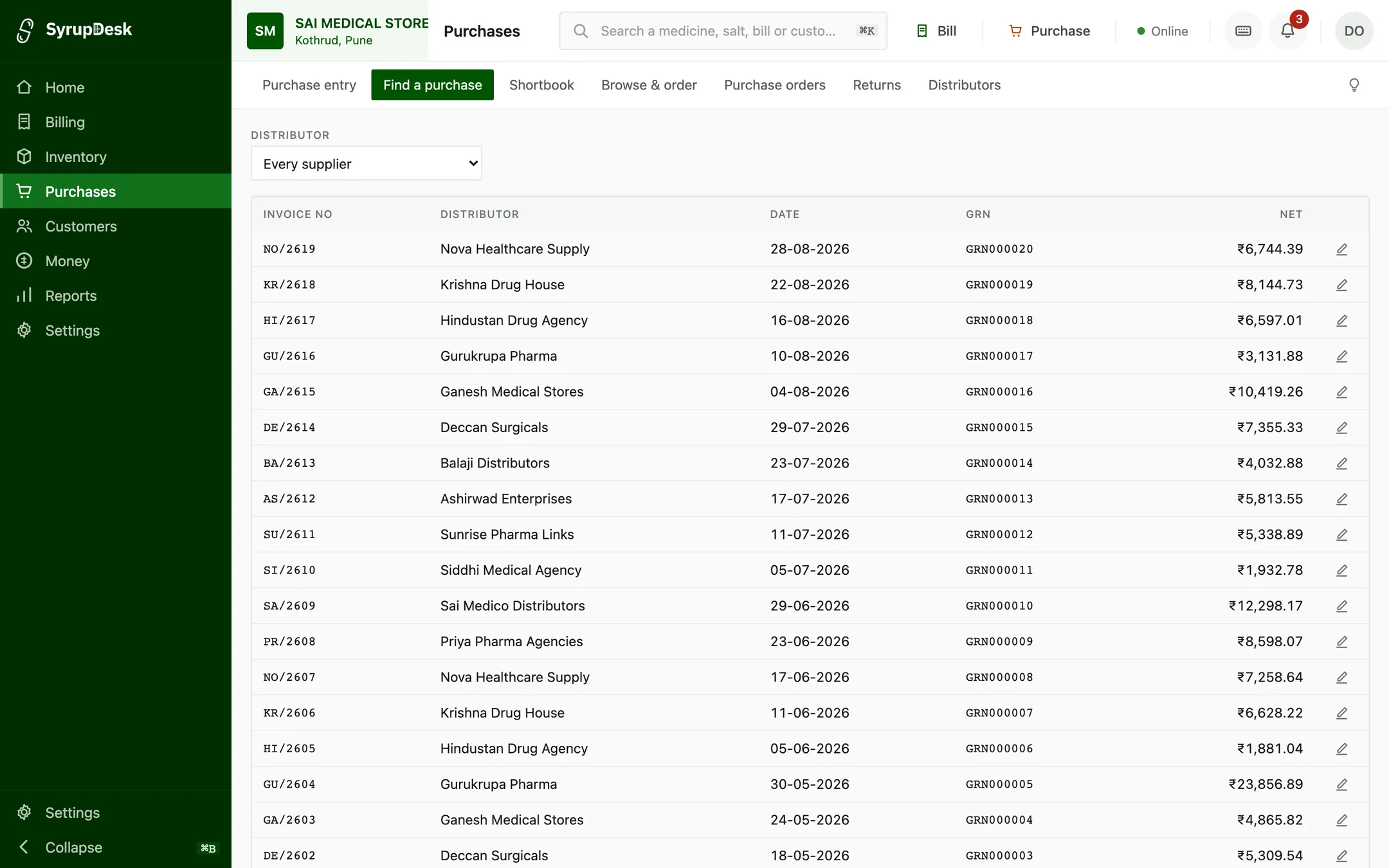
The SyrupDesk purchase register listing distributor invoices with their invoice number, distributor, date, goods-receipt number and net value.
Every distributor invoice, with its goods-receipt note against it. Demo data.

Know which regulars stopped coming

A customer on blood pressure tablets buys every month. When they do not, you usually find out never. SyrupDesk keeps the refill dates and sends a reminder on WhatsApp before the strip runs out.

  • Refill reminders sent on WhatsApp, not SMS nobody reads
  • Chronic customers listed by medicine
  • See who has not come back in 60 days
  • Customer purchase history at the counter
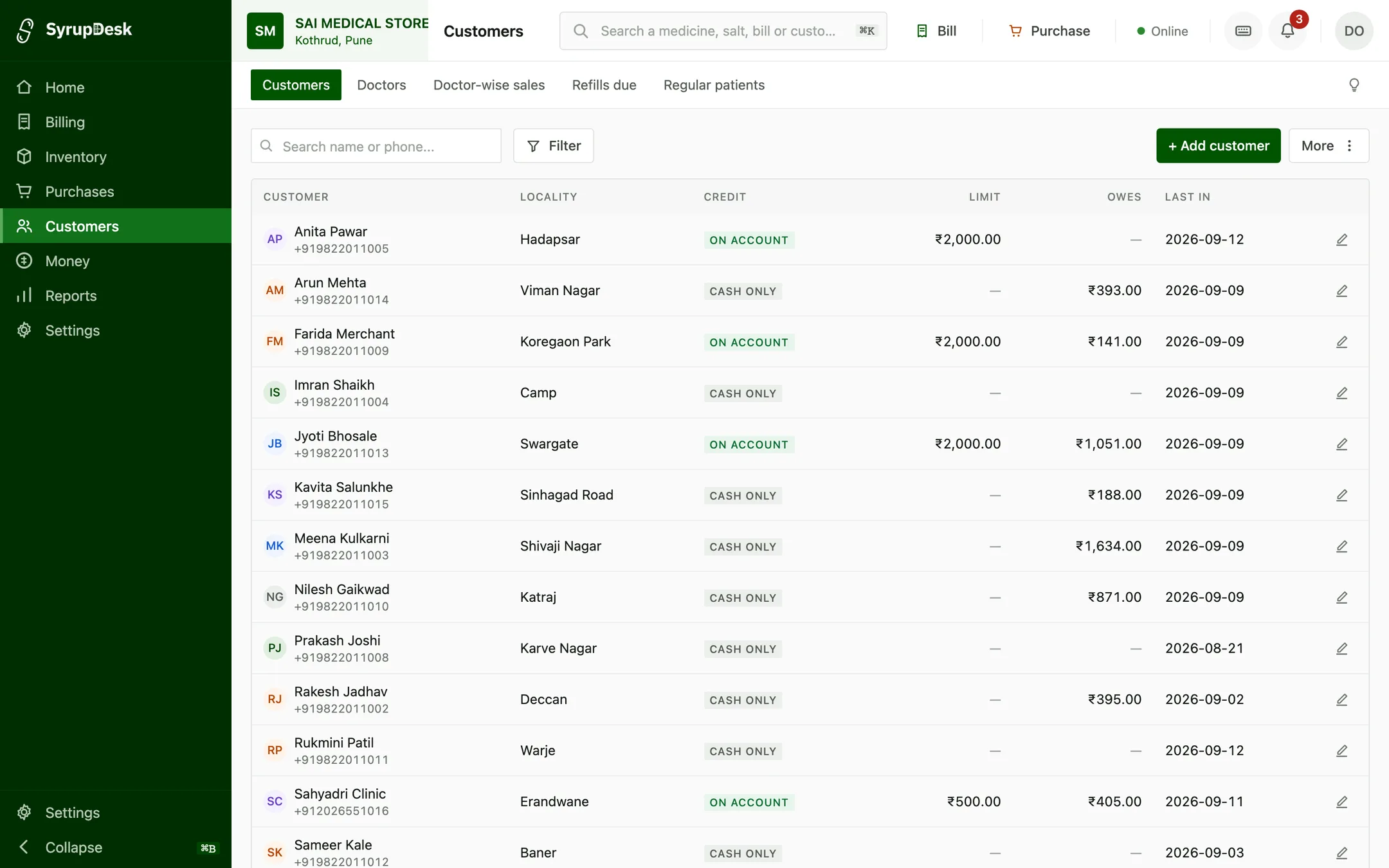
The SyrupDesk customer list showing each customer's locality, whether they buy on account or cash only, their credit limit, what they currently owe, and the date they were last in.
Customers, with what each one owes and when they were last in. Demo data.

GST filing without the week-end panic

Your GSTR-1 and GSTR-3B figures are ready from the bills you already printed. Download the return in the format your accountant or the portal expects, instead of rebuilding the month from a drawer of paper.

  • GSTR-1 and GSTR-3B ready to file
  • Rate-wise summary for the month
  • Purchase register for input credit
  • Export for your accountant in one click
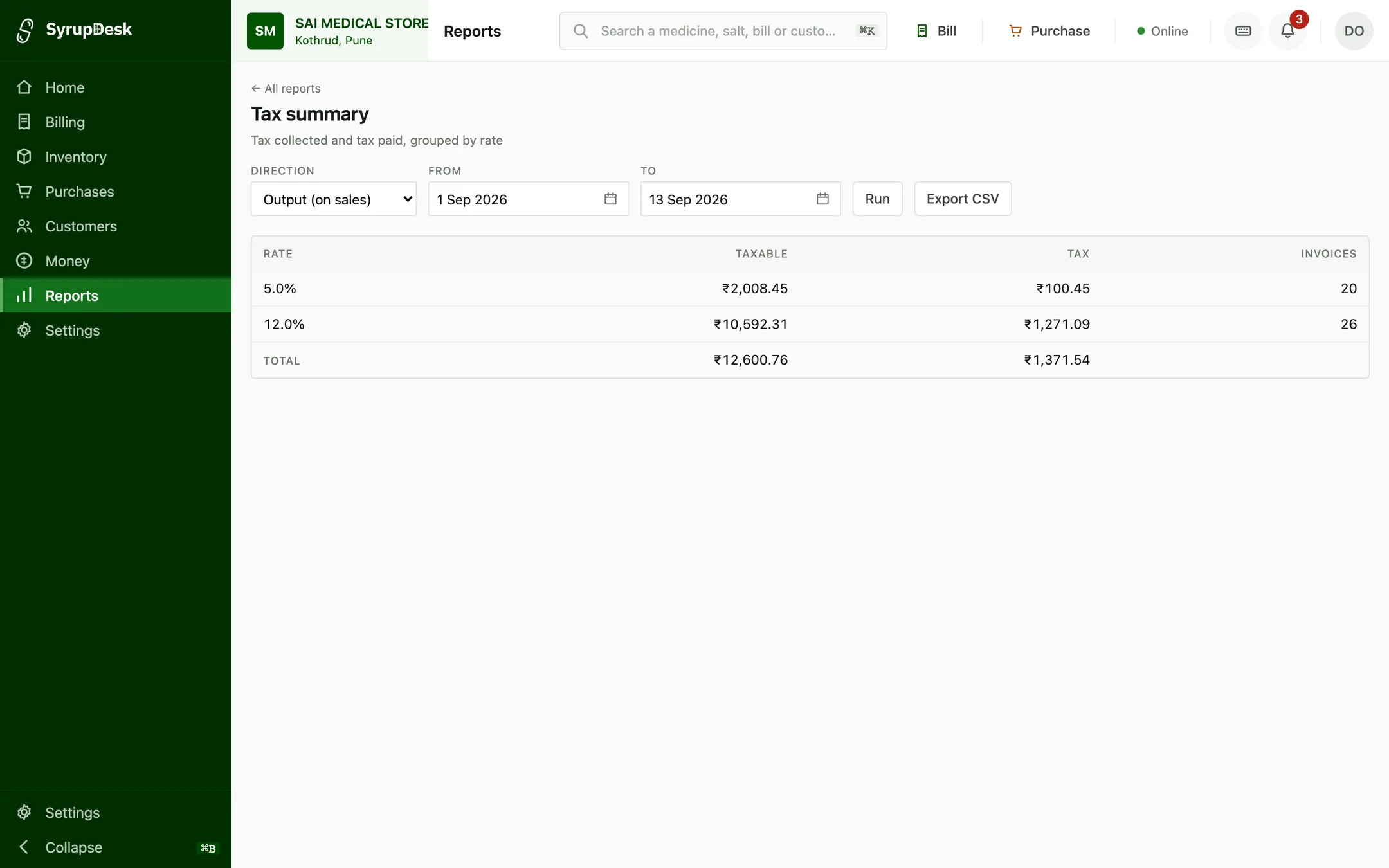
The SyrupDesk tax summary report: output tax on sales for a period, grouped by GST rate, showing taxable value, tax and invoice count for each rate with a total, and an Export CSV button.
Tax collected and tax paid, grouped by rate, for any period. Demo data.

See it on your own stock

Start on the free plan, or send us your stock list and we will set it up for you before you decide.

Free plan · No card needed · Your data stays yours